Next step
Find your key in Polar
Check the purchase email for your key and receipt. If the message is missing, Polar's customer portal can find the purchase using a one-time email code.
Activate Ruru
- 01
Copy the key
Copy the licence key from Polar's confirmation email or customer portal. - 02
Activate in Ruru
Click Ruru in the menu bar and choose Activate Licence… (or click the licence badge at the bottom of Settings). Paste your key and press Return ⏎.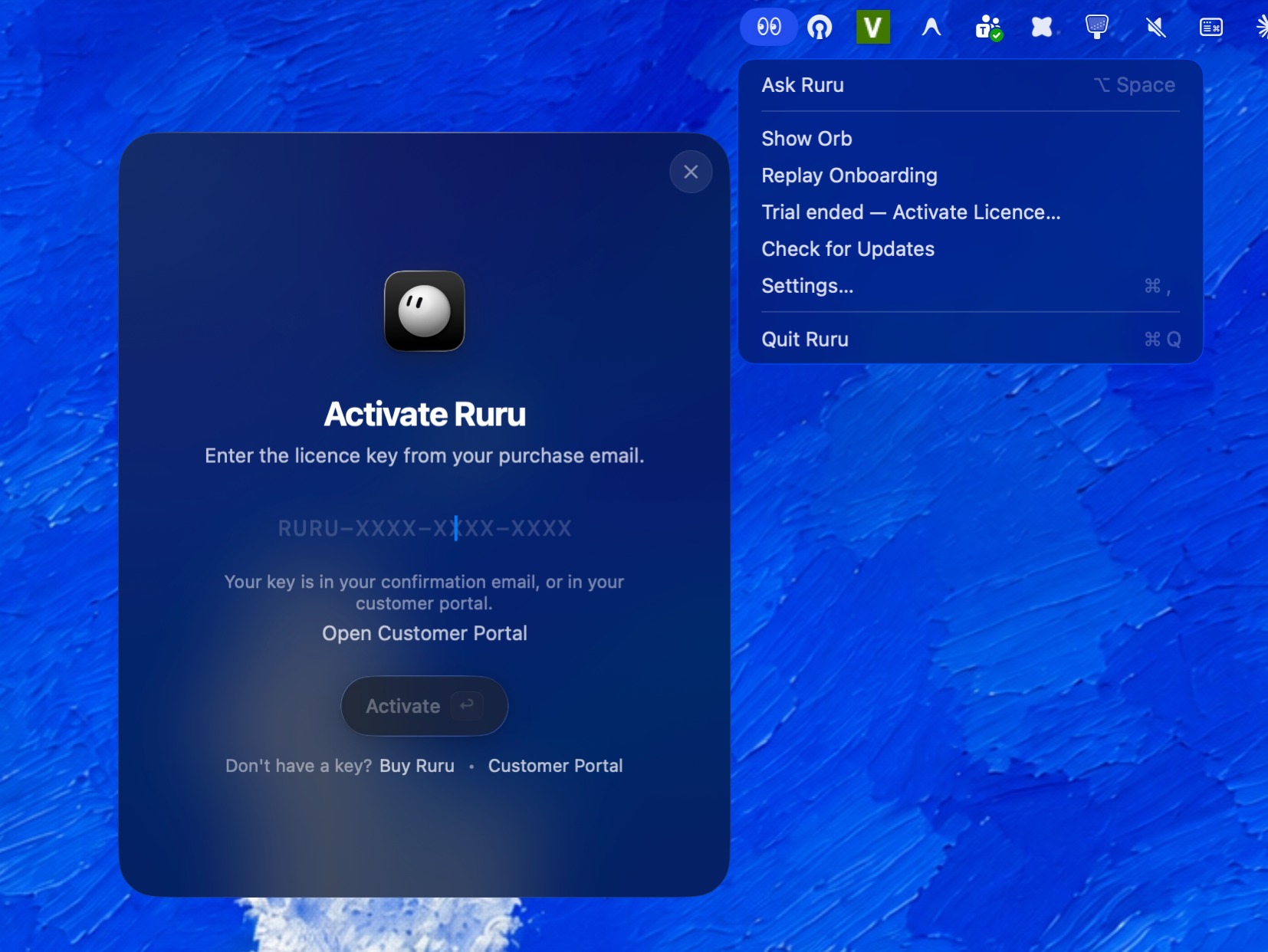
- 03
Use two Macs
A single key can be active on up to two Macs concurrently. Release a seat in Ruru or Polar before moving it.

Still cannot find it?
Use the same email address you used at checkout when signing in to Polar. Ruru cannot reissue a key because Polar owns checkout, delivery, and the customer portal. If Polar cannot locate the purchase, contact hello@atcharm.com with your order email or receipt reference. Please do not send your license key by email.
Purchases are backed by our 14-day money-back guarantee. For more information, read our refund policy.